
Task 1:
From workshop One. Exploring and editing the RAW file using the non-destructive Adobe camera raw "Smart object" in
Photoshop.


Assessment Task
Capture 5 different images from environments with different light sources (e.g. studio lighting, electronic
flash, tungsten (bulb), daylight, mixed light-sources, etc.) using the RAW format from a Digital SLR
camera. Process, correct and adjust the images using the appropriate workflow in Adobe Photoshop CC.
For this assignment I decided to first do the mixed light-sources picture, and I decided to shoot at night to better show the different light. I had the idea to use traffic light for my light source, and then also have a secondary one. At one point I also considered adding a third light source by waiting for a car to pass by, and catch its head lights, but after experimenting with this effect at a different location I decided not to use it.
I played around with the blacks, whites, and shadows a bit to make more of the picture show, and save some of the information in the sky and the bushes behind my model.
The final image I chose to use for my two lighting sources is the one you see in the Camera Raw screen shot further up.


I love the composition between red and green, good and bad, light and dark. With the the added prop of the cigarette and lighter it creates an aesthetic that I am really please with. When editing this I decided to play around with the following settings to bring more depth to her face, and also burn less of the white in flame. Her hair has more texture because I lowered shadows and contrast, while I slightly increased blacks. The duality of the image looks great and I'm really pleased with it. I did play around with some different setting as well, and I also removed the adobe presets.
Pic 2:- Daylight


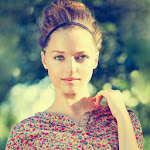
I took these pictures outside around midday so that the sun was above us shining down. On the first I stood right in front of the model with now obstruction, while on the second I stood behind the kitchen door, so that there was glass between us. I really like this because it gives it almost like a dreamy soft light filter. When it came to the edit I had to adjust the highlights, shadows, whites, and blacks all down to compensate for the strong sunlight. If you look at the original file you'll see that it is a little bit over exposed even though my ISO was set to 100.

By adjust the shadows and highlights I gave her hair more texture, as well as making her make up and facial features more visible. Her left shoulder is also less burnt out, as well as her roots. I played around with a couple of different white balance presets here, and among my favourite were Flash and Daylight. I also tried doing a custom white balance by using her shirt and the window frame in the background. Both the Flash and the custom tool added a bit of a tint that I did not think suited the image, so I ended up going with the Daylight setting.
Pic 3:- Tungsten

This picture was taken in my kitchen fairly late one day, so that the main light source was the tungsten light in the ceiling. As you can see it gave the image quite a warm, yellow tint. To change this I decided to play around with the setting and bring the yellow down to a more natural colour. I decided to contradict the original feel of the image to fit the imagery better - dead flowers. I feel like my end result was a good rendition of cold, and hard realities.


Pic 4:- Flash

For this one I decided to do something a bit different. I did try some edits where I changed the setting so that I could see what was in the back, and I got amazing amounts of info back from the darkness. You can see my settings in the file I included in my hand in. I decided in the end to go a different way though - not having used black and white on any of the other pictures, I felt like it felt very right here. Considering flash photography creates very high contrast images, using black and white creates a great grey spectrum. This shows us a lot of detail in her face, while completely removing the distractions of the background.
Pic 5:- Shade

With this one I struggled. I went out looking for shadows that were very clear and diagonal stripes, to create a partition between the light and dark, but alas, I could never find it. This was sadly a last minute picture. In a way I was able to create the difference I wanted to show the shade, and through editing I managed to make the shade more visible, turning the light into an almost glow or aura.
TJ


0 comments:
Post a Comment